
Access Vegas Hero Casino in Chrome on Android or Safari on iPhone – no app download required. The mobile site adapts to smaller screens for easy account access on the go. Browse slots, live tables, jackpots, and casino offers from the homepage, or search by game, category, or provider. Tap Log in to open your profile and view available payment options.
Vegas Hero App Download
The homepage opens in your mobile browser if you’re looking for a casino app download. Use Chrome on Android or Safari on iPhone and iPad.
| Download option | Availability | Access method |
| Android APK | Use the browser site | Open the public site in Chrome |
| Google Play | Use the browser site | Use a browser on Android |
| Apple App Store | Use the browser site | Use Safari on iPhone or iPad |
| Mobile website | Public pages accessible | Open the site in your browser |
Browse the game categories without installing a application. Select Log in if you already have an account.
Access Vegas Hero Without Installing an App
Enter the website address in Chrome or Safari on your phone to load the homepage without installing a app. From the main menu, you can open Casino, Live Casino, Jackpots, or Promotions, browse games by category, or check offer terms before signing in. Browser access saves storage space on your phone and removes the need to manage separate app updates.
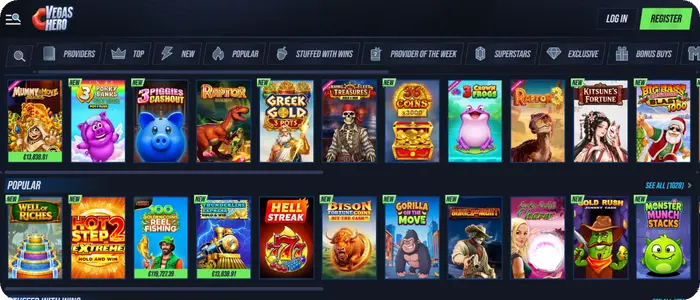
Browse the games by category or check the terms of an offer before signing in. To return to the app page in one tap, save a browser shortcut to your home screen.
How to Open Vegas Hero?
Start at the mobile homepage to reach game categories, promotions and account links. The steps below take you from opening the site to saving it on your phone.
- Open the homepage
Open the homepage in Chrome on Android or Safari on iPhone or iPad. Check the address displayed by your browser.

- Find the navigation
Find Promotions in the main menu and Log in near the top of the homepage. Use the casino categories to browse the games.
- Sign in to your account
Tap Log in at the top of our homepage. Enter the email address and password you used to register, then select Log in.
- Find a game category
Choose Casino, Live Casino or Jackpots. To find something specific, search by game, category or provider.
- Check profile access
Open your profile once signed in. For help with account details or verification, use the Help Centre.
- Save a browser shortcut
Use Chrome’s menu or Safari’s Share menu to add the public page to your home screen. The shortcut saves the page address.
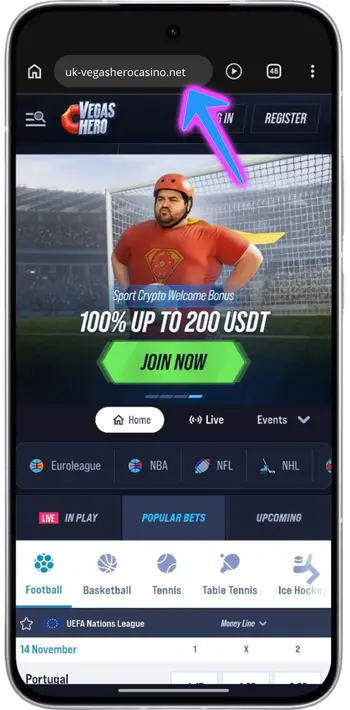
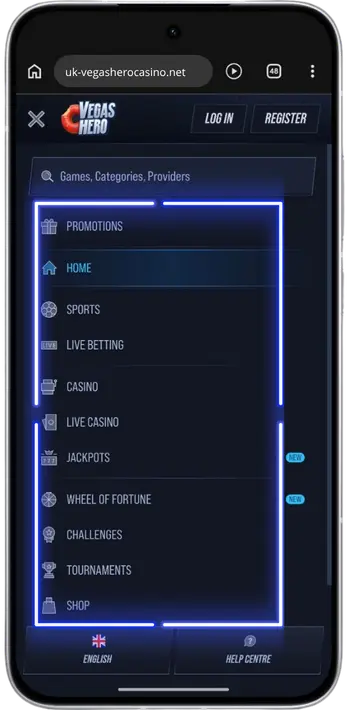
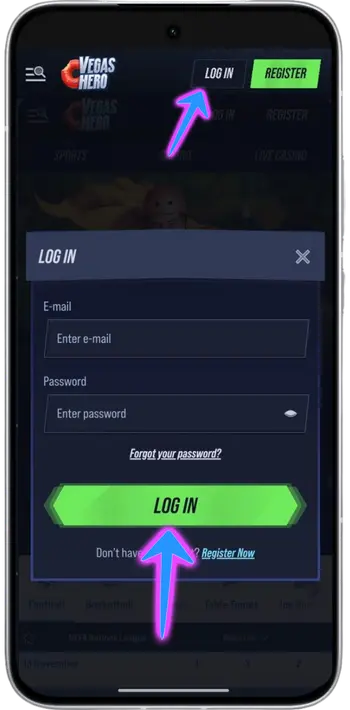
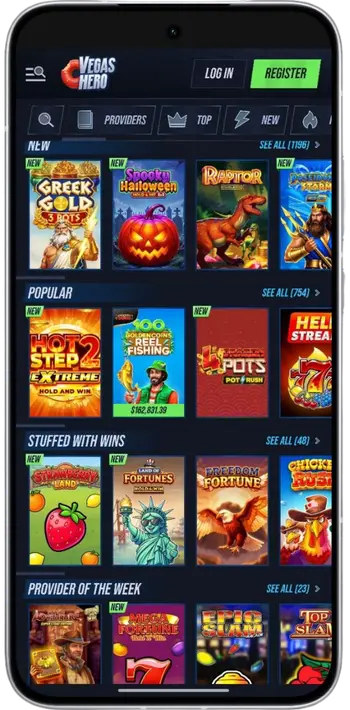
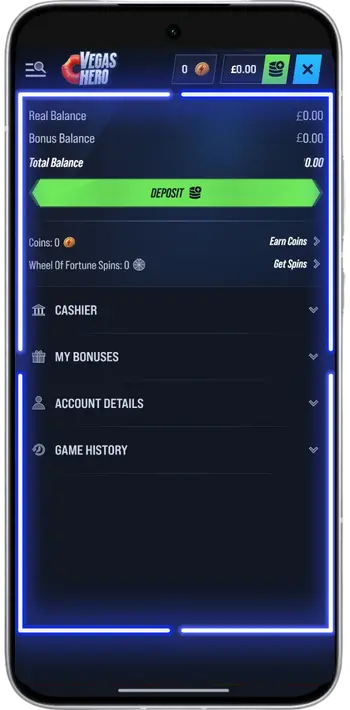
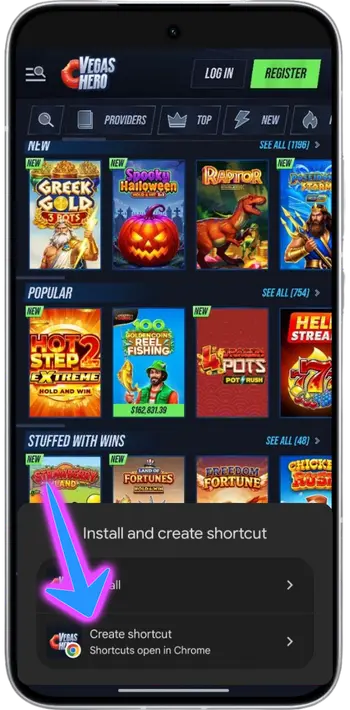
Your saved shortcut opens the page you added. If you were looking for a Vegas Hero casino app download just to get a home screen icon, save the homepage before you close the browser.
Android
On Android, open the homepage in Chrome on your phone or tablet. You can save the page to your home screen without downloading a Vegas Hero APK. Current Chrome releases require Android 10 or later, so check your operating system if you’re using an older device.
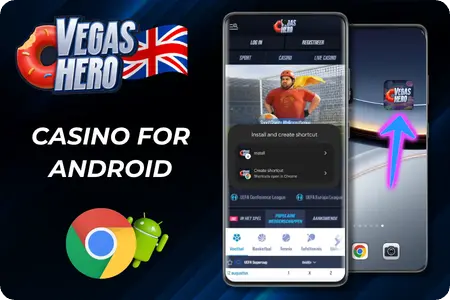
- On your Android phone or tablet, open Chrome and enter the casino homepage address. If you’re on the Vegas Hero Bonus page, return to the homepage before saving the shortcut.
- Next to the address bar, tap the three dots to open the Chrome menu.
- In the menu, select Create shortcut. Depending on your Chrome version, you may need to tap Add to Home screen or Install and create shortcut first.
- Give the shortcut a name, such as casino, or choose a label you’ll recognise, then tap Add.
- Return to your home screen and tap the new icon to check that it reopens the homepage in Chrome.
Different Android phones and tablets can run the mobile site in Chrome, and turning your phone sideways on smaller screens gives wider content, such as payment tables, more room.
iPhone and iPad
With Safari, you can open the homepage on iPhone or iPad and save it to your Home Screen. Start there if you came looking for a Vegas Hero mobile app. From the main menu, you can switch between Casino, Live Casino, Jackpots and Promotions. The search field lets you look for games, categories or providers without browsing every section.
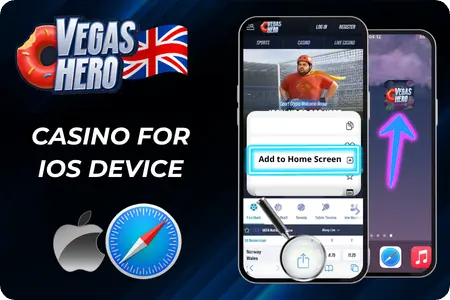
- On your iPhone or iPad, open Safari and go to the app homepage. The shortcut will open the exact page you save, so return to the homepage first if you’ve opened the bonus page.
- From Safari’s toolbar or page menu, open Share. On iPad, you may need to expand the list of actions.
- In the Share menu, select Add to Home Screen. Scroll down if the option isn’t visible at first.
- Give the shortcut a name, such as app, or choose another label you’ll recognise on your Home Screen.
- To save the shortcut, tap Add. Go back to your Home Screen and tap the new icon to reopen the homepage.
When using your iPhone with one hand, search by game title to reduce scrolling through long lists. On iPad, the layout adjusts to larger displays, and turning the device sideways gives even more room when browsing games or reading payment tables.
Supported Devices and Mobile Browsers
For mobile access, use Chrome on Android or Safari on iPhone or iPad. Either browser gives you a way to reach the site if you came looking for a Vegas Hero Casino app.
| Device | Operating system | Browser | Access |
| Android phone | Android | Chrome | Public web pages |
| Android tablet | Android | Chrome | Public web pages |
| iPhone | iOS | Safari | Public web pages |
| iPad | iPadOS | Safari | Public web pages |
Tablet users can browse the public pages through the web version. If you were looking for a Vegas Hero Casino app to access your account, use the Log in option in your browser.
Creating an Account on Mobile
Choose Register to start setting up your account on a phone. You must be at least 18 and live in a country where registration is available.
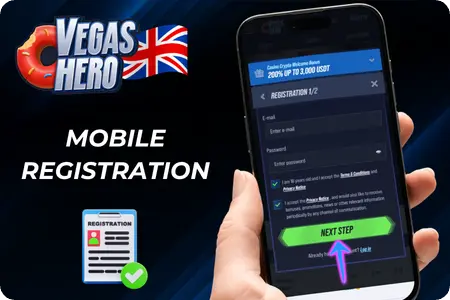
- From the options shown, choose an offer, enter a promo code or continue without a welcome bonus.
- To set up your login, enter your email and create a password. Use an email address you can access if you need to recover your account.
- Before ticking the required boxes, review the terms and privacy notice, then confirm your age and acceptance.
- When completing the form, use your current address. Enter your name and date of birth as they appear on your ID.
- After checking the information you entered, tap Create Account to complete registration.
- If electronic checks cannot confirm your details, provide the requested documents to verify your identity and address. Follow the verification instructions provided for your account.
- For UKGC-licensed services in Great Britain, complete the mandatory checks before proceeding. Age must be verified before depositing or accessing free-to-play casino games, and identity must be verified before gambling.
Read the privacy notice before sharing your details. It applies to the information you enter during registration, including your contact details and address.
Vegas Hero Login on Mobile
Tap Log in on the homepage to start the app login on your phone. Use the email address and password you registered with.
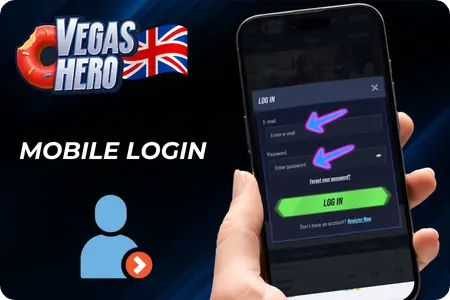
- In your mobile browser, open the homepage and tap Log in at the top of the page.
- On the login form, enter your details using the email address and password you registered with, then tap Log in.
- If your details are rejected, check the autofill entries. Your phone may have entered an old password or selected the wrong email address.
- To reset your password, tap Forgot your password? on the login form. Enter your registered email address and follow the instructions in the reset email.
- For account protection, use a unique password and sign out when you finish on a shared phone or tablet.
Once you’re signed in, open your account profile from the same browser. You can finish the process without installing a Vegas Hero application.
Mobile Casino Games and Categories
Browse the mobile site by tapping categories and swiping through game lists across the main sections and game types. If you came looking for a Vegas Hero app, you can explore the full catalogue directly in your mobile browser.

- Among the slot games, you’ll find themed reels and Megaways titles. A separate Jackpots section lets you browse progressive jackpot games.
- In the Casino section, table games include blackjack, roulette and poker. Use this category to browse these formats together.
- Streamed games appear in the Live Casino section. Here, we group live blackjack, roulette, poker, baccarat and dice alongside game shows.
- Within the arcade selection, instant games offer another format to explore. Look for this category if you prefer shorter individual rounds.
Controls and paytables vary with each game layout. Where a demo is available, use it to check how the game fits your screen and whether the bet and spin buttons are large enough to tap comfortably. You can also check the paytable position and turn your phone sideways for more room.
Mobile Features and Account Management
Manage your Vegas Hero account from your phone browser by selecting Log in on the site. Once signed in, you can review your registration details, check activity, and handle key account tools.
| Feature | What it does | Mobile access |
| Profile | Holds account information and settings | Open the account menu |
| Personal details | Records contact and identity information | Log in and open your profile |
| Activity history | Displays past account activity where available | Open your profile and tap Balance History |
| Cashier | Handles deposits and withdrawal requests | Open the account menu |
| Bonus tracking | Shows the status of promotions on an account | Open the account menu |
Questions about profile details, forgotten passwords and login problems are covered under general information in the Help Centre.
Deposits and Withdrawals
Select your country and currency on the Payments page to see the available options. The tables below show example deposit and withdrawal amounts by method. On your phone, log in and open the cashier in your mobile browser. Choose Deposit or Withdrawal, select a payment method and enter the amount, then follow the on-screen instructions. If your bank or wallet asks you to approve the payment in its app, complete that step and return to the browser to check the transaction.
| Deposit method | Example minimum | Example maximum | Processing time |
| Visa / Mastercard | £10 | £2,000 | Instant |
| Bank transfer | £10 | £5,000 | Instant |
| MiFinity | £10 | £2,500 | Instant |
| Bitcoin | £30 | £5,000 | Instant |
| Cryptocurrency | £10 | £5,000 | Instant |
| Withdrawal method | Example minimum | Example maximum | Processing time |
| Visa | £10 | £3,000 | 1–3 business days |
| Bank transfer | £10 | £5,000 | 1–3 business days |
| Revolut (bank transfer) | £10 | £5,000 | 1–3 business days |
| MiFinity | £10 | £2,500 | 1–3 business days |
| Bitcoin | £60 | £5,000 | Within 24 hours |
| Cryptocurrency | £10 | £5,000 | Within 24 hours |
Deposit and withdrawal speeds depend on the payment method, bank or wallet processing, and any required account checks. Always check the cashier and the Payments page on the official site for the exact limits, currencies, and terms that apply to your account.
Bonuses and Promotions
Under Promotions, you can browse available offers on your phone before registering without downloading a Vegas Hero APK. Check the details and terms shown during registration or in the promotion rules before opting in.
| Promotion | Illustrative offer | Mobile status |
| Casino welcome | 100% up to £500 + 200 Free Spins | Selectable during mobile registration |
| Sports weekly reload | 75% up to £500 | Available to eligible mobile bettors |
| Daily cashback | 15% on net losses, up to £400 | Available for qualifying mobile casino play |
On mobile and desktop, refer to the same published bonus terms for wagering, eligible games, bet limits and expiry. The offers shown here are not advertised as mobile exclusives. We list casino and sports offers separately under Promotions.
Mobile Interface
Use the search field to look up a game, category or provider. Log in and Register are near the top of the homepage, with separate menu entries for Casino, Live Casino and Jackpots. On a narrow phone screen, use the menu to jump straight to a section. Turning your phone sideways gives wider payment tables more room. If a page is still loading after three seconds on 4G, try another page on the same connection.
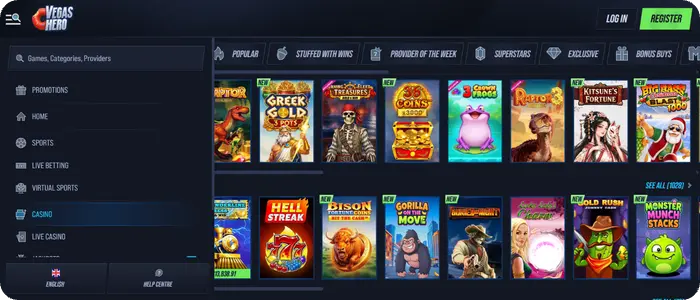
Whether you use a compact phone or a larger tablet, the mobile site offers a browser alternative to a Vegas Hero app and adapts its layout to different screen sizes. Short menu labels, clear category headings, and search help you scan lists easily and browse one-handed with less scrolling, while loading times depend on the page, game, and connection.
Security and Privacy
We use HTTPS to protect the connection between your browser and the public pages. For account access, choose Log in and use the details you registered with. The form opens in your browser without a application.
Read our privacy notice before entering personal information. The registration form asks you to acknowledge it alongside the terms and conditions. If your account requires an identity check, follow the instructions in your account or contact our Help Centre.
Common Vegas Hero Mobile Issues
Check whether the homepage loads first. If it opens, see whether the problem is limited to the login form or a particular game. Use the matching row below.
| Problem | Possible cause | Solution |
| Site will not open | Old bookmark, browser issue or interrupted connection | Check the web address and reload the page. Close and reopen your browser, then switch between Wi-Fi and mobile data if the problem continues. |
| Game freezes | Unstable connection or too many apps and tabs running | Close unused tabs and background apps, then reload the page or reopen the game. If you already placed a bet, check Balance History before placing another. Contact our Help Centre if the round remains unresolved. |
| Sign-in does not work | Outdated saved details, a typing error or an account restriction | Re-enter your registered email and password, checking for autofill errors and extra spaces. Use Forgot your password? if needed. If access is still blocked, follow any account message or contact our Help Centre. |
| Pages load slowly | Weak signal, a busy connection or limited device resources | Switch to a more stable Wi-Fi or mobile connection. Pause downloads, close unused tabs and background apps, then reload the page. Restart your browser if loading remains slow. |
Is Vegas Hero Available to Players in the UK?
At present, we can’t confirm real-money access for players in England, Scotland or Wales. Offering online gambling in Great Britain requires a UK Gambling Commission licence. Northern Ireland has separate rules for online gambling, and we can’t confirm whether residents can open a real-money account with us.
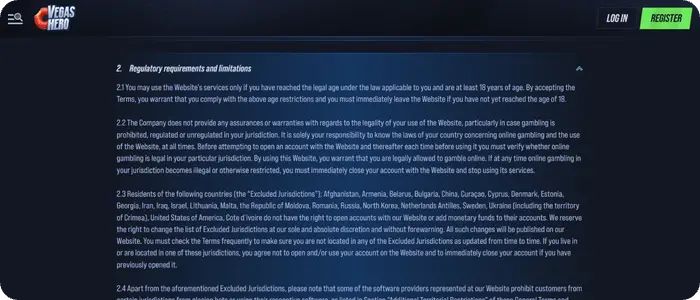
If you’re in the UK, check our eligibility rules for your place of residence before registering or depositing. You can still browse our public pages to see the games and read about our offers.